
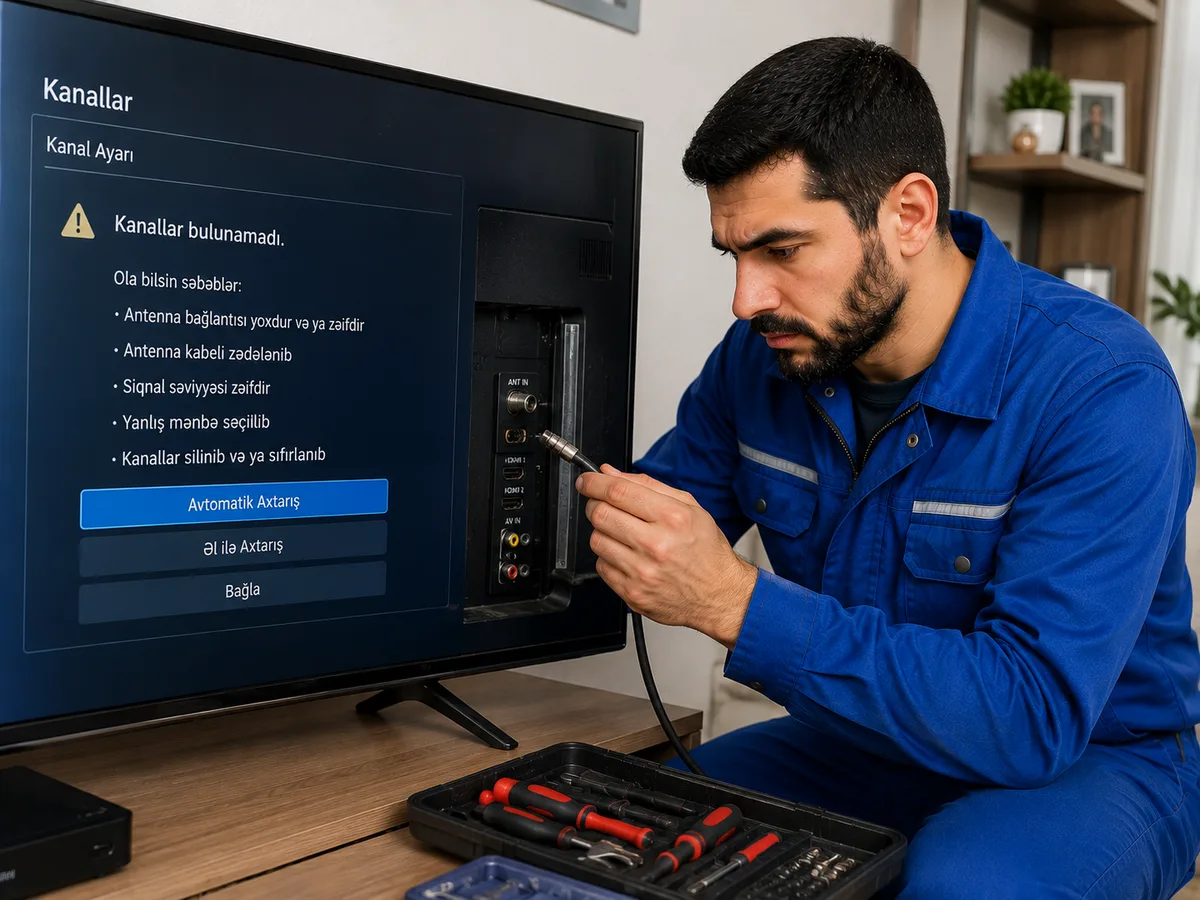
TV channels suddenly disappearing or previously available channels no longer opening is a common problem. Sometimes only a few channels disappear, sometimes the entire channel list is deleted, and in some cases the television displays a “No Signal” message. The cause may be related to the antenna or satellite system, cable connections, the TV tuner, channel settings, or software.
First, it is important to determine whether the problem affects all channels or only certain ones. If all channels disappear at the same time, there may be a general problem with the antenna signal, cable connection, or receiving system. If only some channels disappear, frequency changes, weak signal, or the need to update the channel list are more likely causes.
Weak antenna signal is one of the most common reasons why channels disappear. A change in the antenna direction, wind, rain, cable problems, or damage to the antenna itself can reduce the signal level. When the signal falls below a certain level, TV channels may begin to freeze, cut out, or disappear completely.
Movement of the antenna can also cause channel problems. Antennas installed on rooftops or in open areas may shift from their original position due to strong wind or other weather conditions. If the antenna is no longer properly aimed toward the transmitter, the signal of some or all channels may weaken.
The coaxial cable running from the antenna to the television should also be checked. If the cable is crushed, broken, has water inside it, or the connectors are loose, signal loss may occur. Even if the cable looks normal from the outside, the internal conductor may still be damaged.
Oxidation of cable ends and connectors can also weaken the signal. Moisture entering outdoor connection points can cause metal components to oxidize. This may first appear as weak reception on certain channels and later result in those channels disappearing completely.
If a satellite dish is used, a change in its direction is an especially important possible cause. Satellite dishes require very precise alignment. Even a movement of only a few degrees can significantly reduce signal quality and cause channels to disappear.
A faulty LNB in the satellite system can also cause channels to disappear. The LNB receives the signal from the satellite and sends it to the receiver. If the LNB becomes worn, water enters it, or an electrical fault develops, channels on certain frequencies may stop working.
In some cases, some satellite channels work while others disappear. This may be related to the LNB, DiSEqC switch, cable connection, or failure to receive a certain frequency range. In systems using multiple satellites, a faulty DiSEqC switch can cause all channels from one particular satellite to disappear.
A faulty satellite receiver can also cause the problem. The receiver accepts the signal, processes it, and sends it to the television. A fault in the electronic components, tuner section, or software may prevent the channel list from opening properly or cause the signal to be received incorrectly.
A problem with the television’s built-in tuner can also cause channels to disappear. The tuner is one of the main electronic components that receives the signal from the antenna. If the tuner fails, the television may not detect the antenna, may show a signal level of 0, or may fail to find any channels during a scan.
Selecting the wrong input source can also create the impression that the channels have disappeared. For example, if the television has been switched from TV or DTV mode to HDMI, AV, or another input, the previous channel list will not appear. Therefore, one of the first basic checks is to make sure the correct input source is selected.
A change in the channel reception mode should also be considered. Televisions may support different tuner modes such as DVB-T, DVB-T2, DVB-C, or DVB-S/S2. If the wrong signal type is selected, the channel scan may not return any results.
Running an automatic channel scan with incorrect settings can also delete the previous channel list. If the user accidentally starts an automatic scan and selects the wrong region, signal type, or tuner mode, the existing channel list may be replaced by a new one.
In some cases, television broadcasters change channel frequencies. If a broadcaster or operator moves certain channels to another frequency, those channels may no longer be found with the old settings. In this case, a new automatic or manual channel scan may be required.
With digital television, a weak signal may cause the channel to disappear completely rather than simply reducing picture quality as in analog systems. When the digital signal falls below the minimum required level, the television may stop displaying the picture altogether. Therefore, a channel that “suddenly disappeared” may actually be the result of weak signal reception.
The channel list may also change after a software update. On some Smart TV models, region, tuner, or channel settings may reset after a system update. In this case, the channel list may need to be configured again.
Resetting the television to factory settings also deletes all channels. After a reset, the previously configured channel list, favorites, and other user settings are removed. The channels must then be scanned again.
Voltage fluctuations can affect the electronic components of both the television and the receiver. A sudden voltage surge can damage the tuner, power board, or other electronic components. If the channel problem started after a power outage or voltage fluctuation, the electronic sections may need to be inspected.
If cable television is used, the issue may also come from the operator’s line. A fault in the main cable entering the building or apartment, a problem with distribution equipment, or maintenance work by the operator may temporarily cause some or all channels to disappear.
Using too many signal splitters can also reduce signal strength. If one antenna line is divided among several televisions, each additional splitter reduces the signal level. If the original signal is already weak, extra splitters can cause some channels to disappear.
A faulty signal amplifier can also affect channel reception. Some antenna systems use an amplifier to strengthen weak signals. If the amplifier’s power supply or electronic section fails, the signal level of the entire system may suddenly drop.
Weather conditions can also cause channels to disappear at certain times. Heavy rain, strong wind, and snow can significantly reduce satellite signal quality. If the problem occurs mainly during bad weather, the antenna direction and signal margin should be checked.
A tree, new building, or other obstacle in front of the satellite dish can also weaken the signal. There should be a clear line of sight between the satellite dish and the satellite direction. Growing tree branches or new construction can create signal problems in a system that previously worked normally.
If the television finds channels but they disappear again after some time, there may be a memory or software problem. If the television does not save the channel list correctly, some channels may be lost after the device is turned off and turned on again.
Changes in channel numbering can also make it seem as though channels have disappeared. If automatic updating or the LCN function is enabled, channels may move to different numbers. In this case, it is useful to check the full channel list.
If the television displays “No Signal,” “Weak Signal,” or a similar message, the antenna cable and signal source should be checked first. If the television menu works normally but the channels do not open, the problem is usually related to signal reception rather than the screen itself.
Rescanning the channels may solve the problem in some cases. However, if the signal is weak or there is a physical fault in the antenna system, rescanning may also delete the existing channel list. For this reason, repeatedly running a channel scan without identifying the cause is not always the right approach.
Pay attention to the following signs: if all channels disappear suddenly, the signal level shows 0, the antenna or satellite cable is damaged, channels frequently appear and disappear, the receiver turns off by itself, the television finds no channels during a scan, or the problem started after a power outage, professional inspection of the system is recommended.
If the channels on the television have disappeared, it is recommended to contact a professional TV and antenna technician. The technician can check the antenna, satellite dish alignment, LNB, cables and connectors, signal level, receiver, TV tuner, and channel settings. Once the exact cause is identified, the channels can be reconfigured and any necessary repair work can be carried out.